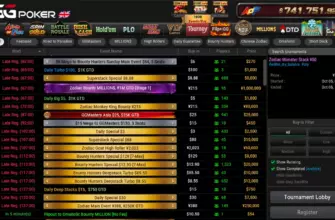
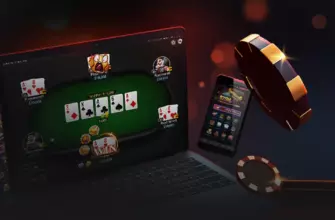
The GGPoker mobile app isn’t just a scaled-down version of the desktop client—it’s a fully optimized poker platform that fits in your pocket. Whether you’re commuting, waiting in line, or relaxing on the couch, the app delivers seamless access to cash games, tournaments, and innovative formats like Rush & Cash and Spin & Gold. But setting it up correctly matters, and not all features behave the same as on desktop. This guide covers everything from installation quirks to hidden mobile advantages most players miss.
The GGPoker mobile app shares the same global player pool as desktop users, meaning you’ll never face “mobile-only” tables with weaker competition—or stronger bots. It’s one ecosystem, one economy.
- Getting Started: How to Install the App
- For iOS Users
- For Android Users
- What Makes the Mobile App Unique (Beyond Convenience)
- Gameplay Differences: What Works Better on Mobile?
- Ideal for Mobile
- Better on Desktop
- Performance, Stability, and Battery Life
- Payments and Security on Mobile
- Hidden Mobile Features Most Players Overlook
- Final Verdict: Who Should Play on Mobile?
Getting Started: How to Install the App
Unlike apps from the Apple App Store or Google Play, GGPoker distributes its mobile client directly due to platform restrictions on real-money gambling apps. This means you must download it from GGPoker’s official site—but the process is safe and straightforward.
For iOS Users
- Visit GGPoker’s download page via a trusted link (like from our GGPoker overview).
- Complete registration, then click “Download for iOS.” You’ll receive an email with the install link.
- After downloading, go to Settings > General > VPN & Device Management, select “NSUS Ltd,” and tap “Trust.”
- Open the app and log in.

If you skip the “Trust” step, the app will crash on launch. This is an iOS security requirement—not a bug.
For Android Users
- Download the APK file directly from GGPoker’s site.
- Enable “Install Unknown Apps” for your browser in Settings.
- Open the APK from your Downloads folder and install.
- Log in with your existing credentials or create a new account.
Pro tip: Bookmark the download page after your first install. Future updates are delivered through the app itself—no need to redownload manually.
What Makes the Mobile App Unique (Beyond Convenience)
While desktop offers deeper analytics and multi-tabling capacity, the mobile app excels in speed, accessibility, and user-friendly design. Here’s what stands out:
- Instant Game Access: Jump into a Spin & Gold or All-in or Fold game in under 10 seconds—ideal for short sessions.
- Smart Table Switching: Swipe between up to 4 tables with intuitive gestures. No need for complex window management.
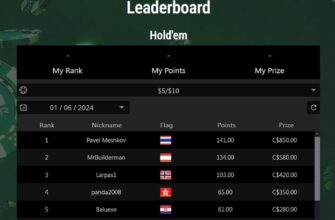
- Integrated Fish Buffet Tracker: View your current rank, points earned, and next reward directly from the lobby.
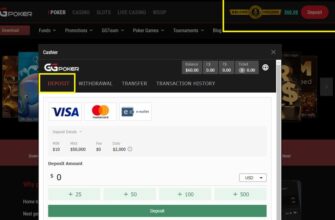
- One-Tap Deposits: Fund your account in two taps using Apple Pay (iOS) or Google Pay (Android)—no card details needed.
Mobile-exclusive advantage: The app auto-locks your screen orientation during hands, preventing accidental rotations mid-bet—a small but critical UX win.
Gameplay Differences: What Works Better on Mobile?
Not all poker formats translate equally to touchscreens. Here’s where mobile shines—and where it falls short:
Ideal for Mobile
- Spin & Gold: Fast, single-table jackpots require minimal input—perfect for quick bursts.
- All-in or Fold (AoF): Binary decisions (shove or fold) are effortless on mobile. Great for clearing bonus challenges.
- Early MTT Levels: When stacks are deep and action is slow, mobile lets you stay engaged without being glued to a monitor.

Better on Desktop
- Deep-Stack Cash Games: Precise bet sizing and HUD use matter more here—desktop gives finer control.
- Late-Stage Tournament Play: Complex ICM decisions and multi-way pots benefit from larger screens and stats overlays.
- Omaha Wrap Analysis: Evaluating 13+ out draws is harder on a small screen—see our guide on wraps in Omaha for context.
Can you play freerolls on mobile? Absolutely. In fact, mobile is ideal for freeroll grinding—you can register and play while multitasking.
Performance, Stability, and Battery Life
As of early 2026, the GGPoker app runs smoothly on devices as old as iPhone 8 or Android phones with 3GB RAM. Key performance notes:
- App size: ~120 MB—lightweight compared to competitors.
- Battery drain: Moderate. Expect 1–1.5% per hour during active play.
- Data usage: ~5–10 MB per hour—lower than video streaming, higher than messaging apps.
- Crash rate: Very low. Most crashes stem from outdated OS versions or jailbroken/rooted devices.
Never install the app from third-party APK sites. Fake versions exist that steal login credentials. Always download only from GGPoker’s official domain.
Payments and Security on Mobile
All payment methods available on desktop work on mobile—including Skrill, Neteller, Visa, and bank transfers. Mobile-only additions include:
- Apple Pay (iOS): Deposit instantly without entering card details.
- Google Pay (Android): Same convenience for Android users.
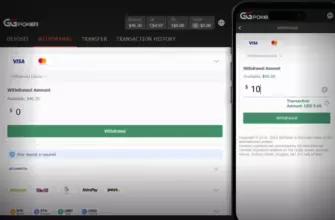
Withdrawals follow the same rules as desktop: closed-loop policy applies, and verification is required before your first cashout. The cashier interface is streamlined but fully functional—you can even upload ID documents directly from your phone’s camera.
You can adjust deposit limits and set session timers via Account > Responsible Gaming—critical for maintaining discipline on mobile, where impulse play is easier.
Hidden Mobile Features Most Players Overlook
Beyond the basics, the app includes subtle tools that enhance your edge:
- Hand Replays: Tap any finished hand in your history to replay it frame-by-frame—great for reviewing river decisions like those in tough turn and river spots.
- Quick Fold Button: Hold the “Fold” button for 1 second to auto-fold without confirmation—saves time in fast-fold games.
- Dark Mode: Reduces eye strain during late-night sessions. Enable in Settings.
- Push Notifications: Get alerts for tournament start times, bonus milestones, and Fish Buffet rewards—even when the app is closed.
Mistake to avoid: Using public Wi-Fi for real-money play. While the app uses encryption, unsecured networks increase risk of session hijacking. Use mobile data or a trusted connection.
Final Verdict: Who Should Play on Mobile?
The GGPoker mobile app is perfect for:
- Recreational players who enjoy short, frequent sessions
- MTT grinders who want to stay active during early levels
- Freeroll specialists building a bankroll from scratch
- Travelers who refuse to miss their weekly tournament
It’s less ideal for high-volume cash game regulars who rely on HUDs or multi-table 10+ tables—but even they can use mobile for warm-ups or satellite entries.
“The best poker tool is the one you actually use. If your phone is always with you, make it your poker weapon.”
Actionable advice: Before your next commute, preload the app, verify your payment method, and join a low-stakes Spin & Gold. You might just turn dead time into profit—with zero extra effort.