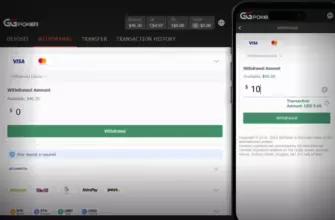
PokerCraft isn’t just a hand history tool—it’s GGPoker’s native analytics suite that turns every session into a learning opportunity. Unlike traditional tracking software that requires complex setup, PokerCraft works out of the box on both desktop and mobile, offering visual insights, replayable hands, and position-based performance breakdowns. But it has limits: no real-time HUD overlay, no opponent stats during play. So how do you bridge the gap between built-in tools and serious analysis? This guide reveals exactly what PokerCraft can (and can’t) do—and how to complement it with approved third-party solutions.
PokerCraft automatically logs every hand you play on GGPoker—cash games, tournaments, Spin & Gold, even All-in or Fold. No manual export needed.
- What PokerCraft Actually Shows You
- The Hidden Power of Hand Replays and “Hand Moments”
- PokerCraft vs. Third-Party HUDs: What’s Allowed?
- How to Set Up Hand2Note (Recommended for GGPoker)
- Using PokerCraft to Fix Real Leaks
- Leak 1: Bleeding Chips from the Blinds
- Leak 2: Overvaluing Marginal Hands
- Leak 3: Bubble Anxiety in Tournaments
- Mobile Limitations and Workarounds
- Final Workflow: From Session to Improvement
What PokerCraft Actually Shows You
Open PokerCraft from your GGPoker client (under “My Account” > “PokerCraft”), and you’ll find six key tabs—each designed to answer a different strategic question:
- Timeline: Highlights big moments—monster coolers, bad beats, royal flushes—with shareable “Hand Moments.”
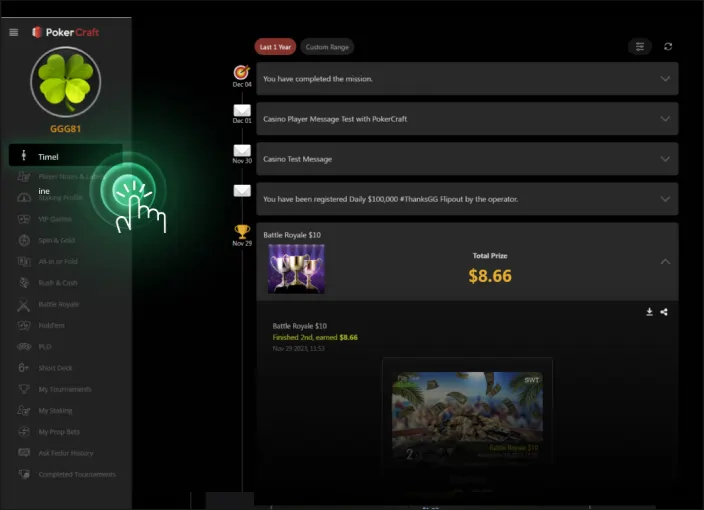
- Game Type: Breaks down winrate, luck rating, and best/worst hands by format (NLHE, PLO, MTTs, etc.).
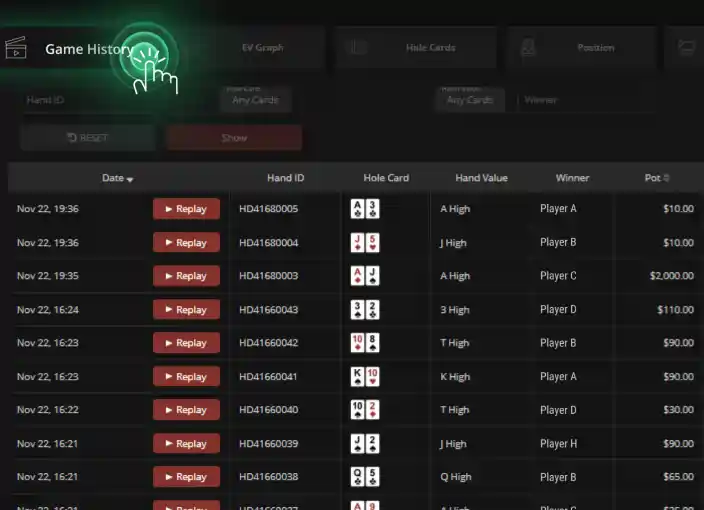
- Game History: Full chronological list of every session. Click any hand to replay or export.
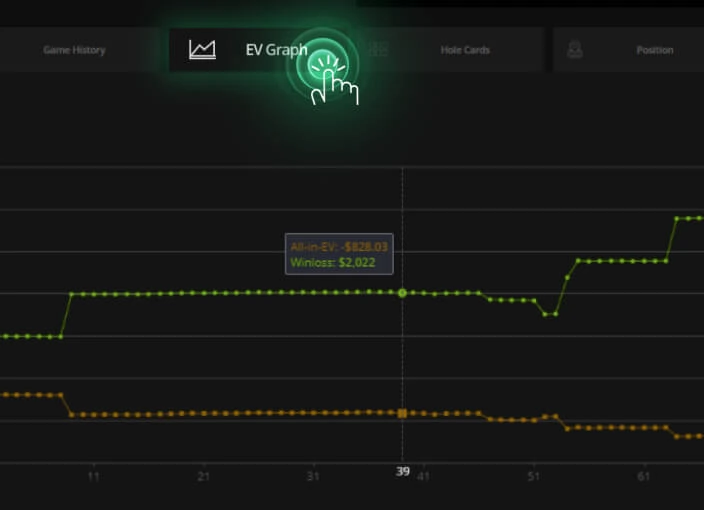
- Win/Loss: Dual-line graph showing actual profit vs. expected value (EV)—so you see if variance helped or hurt you.
- Hole Card Matrix: Color-coded grid of all 169 starting combos, showing net profit per hand (e.g., how much you’ve won with AKo).
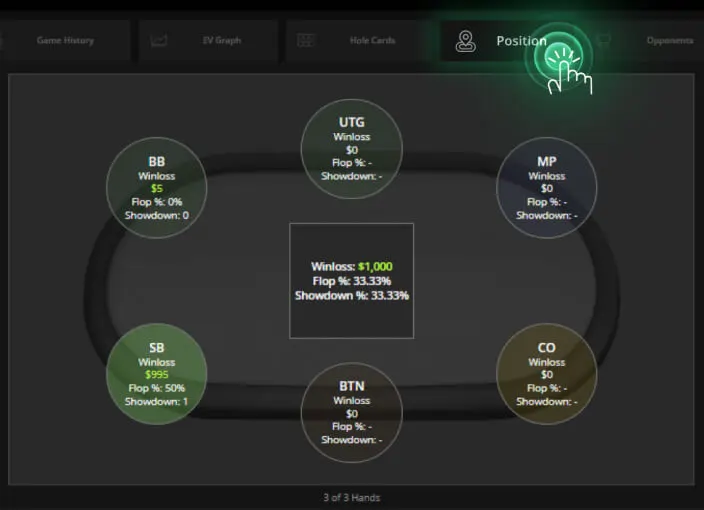
- Position: Earnings from each seat (UTG, MP, CO, BTN, SB, BB)—critical for diagnosing leaks.
- Opponents: Profit/loss vs. specific players (by nickname), useful for spotting consistent winners or fish.
Can you see opponent stats during a live hand? No. PokerCraft is purely post-session. It does not function as a real-time HUD.
The Hidden Power of Hand Replays and “Hand Moments”
Every hand in PokerCraft includes a “Replay” button that reconstructs the entire action—bets, folds, board cards—with timing and player names intact. This is invaluable for reviewing tough spots, like whether you should have folded top pair on a wet river after a double-barrel bluff.
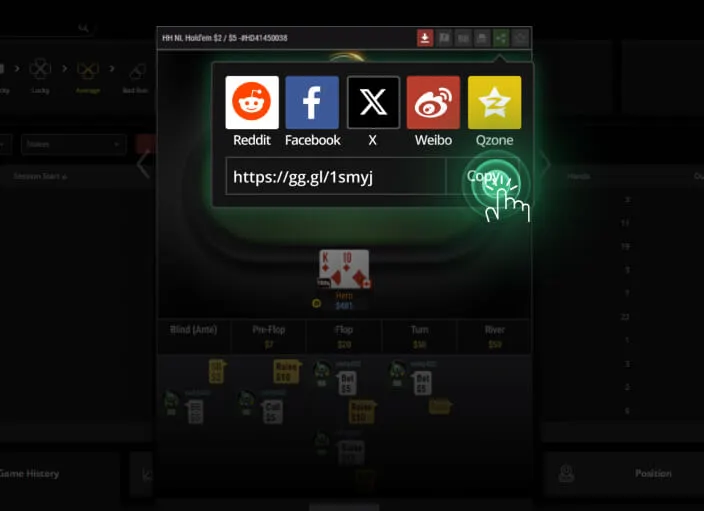
Even better: click “Hand Moment” to generate a clean, branded image of the hand—perfect for sharing on Discord, Twitter, or study groups. These visuals include hole cards, board, pot size, and key actions, making them ideal for coaching or self-review.
Pro tip: Use Hand Moments to document recurring mistakes. Save 10 “I folded the nuts” or “I called a river overbet with second pair” images—you’ll spot patterns faster than raw data allows.
PokerCraft vs. Third-Party HUDs: What’s Allowed?
GGPoker permits only a select few tracking tools. As of 2026, the officially supported HUDs are:
- Hand2Note: Fully compatible with GGPoker. Offers real-time stats, custom popups, and database integration.
- Hold’em Manager 3 (HM3): Works with a special license key provided through approved affiliates.
- PokerTracker 4 (PT4): Supported but requires manual hand history import via XML files.
All other HUDs—including free or open-source tools—are blocked by GGPoker’s security system. Attempting to use them may trigger account restrictions.
Never download “GGPoker HUD patches” from unofficial forums. These often contain malware or violate terms of service, risking permanent bans.
How to Set Up Hand2Note (Recommended for GGPoker)
- Download Hand2Note from the official site and install it alongside GGPoker.
- Launch both apps. Hand2Note auto-detects GGPoker tables and begins importing hand histories.
- In Hand2Note settings, enable “Real-time stats” and choose a minimal HUD layout (e.g., VPIP/PFR/3Bet).
- Calibrate your own stats using PokerCraft’s Hole Card Matrix to ensure accuracy.
Unlike PokerCraft, Hand2Note shows opponent tendencies as you play—letting you exploit nits who fold 80% to 3-bets or maniacs who call 60% of flops.
Why Hand2Note wins: It syncs with PokerCraft’s data but adds predictive modeling—like estimating fold equity on the turn based on historical behavior.
Using PokerCraft to Fix Real Leaks
Here’s how to turn raw data into actionable fixes:
Leak 1: Bleeding Chips from the Blinds
Go to the Position tab. If your BB or SB shows deep red (net loss), drill into those sessions. Are you over-defending against early-position opens? Folding too much to steals? Use this to refine your big blind defense strategy.
Leak 2: Overvaluing Marginal Hands
Check the Hole Card Matrix. If KJo or A5s show large losses, you’re likely calling too wide out of position. Compare these to winning hands like TT or AQo—adjust your preflop ranges accordingly.
Leak 3: Bubble Anxiety in Tournaments
In the Win/Loss graph, look for steep EV-profit gaps near pay jumps. If your actual winnings lag far behind EV, you’re probably folding too much near the bubble. Study ICM more deeply or practice with solvers.
Don’t obsess over short-term luck ratings. A “-20% luck” week might just mean you got coolered twice—it doesn’t reflect skill. Focus on long-term trends across 500+ hands.
Mobile Limitations and Workarounds
PokerCraft works on iOS and Android—but with reduced functionality. You can view Hand Moments and basic stats, but you can’t access the Hole Card Matrix or detailed opponent reports. For serious analysis, always use the desktop client.
However, mobile is perfect for quick reviews. After a session, open PokerCraft on your phone, replay one key hand, and note one adjustment for next time. Small habits compound.
Mistake to avoid: Relying solely on PokerCraft for opponent reads. It shows *your* results vs. others—not their full playing style. Combine it with HUD data for complete pictures.
Final Workflow: From Session to Improvement
Adopt this weekly routine:
- After each session, open PokerCraft and tag 1–2 hands that felt “off.”
- Once a week, review all tagged hands via Replay—ask: “What range did I assign? Was my bet sizing logical?”
- Export losing hands with strong holdings (e.g., sets, nut flushes) as Hand Moments—analyze why you didn’t get paid.
- Use Hole Card Matrix to eliminate consistently losing starting hands from your range.
This turns passive play into active learning—without needing a coach.
“Data doesn’t lie—but it also doesn’t teach. Your job is to ask the right questions of your hands.”
Actionable advice: Tonight, open PokerCraft and find your single biggest losing hand of the month. Replay it slowly. Write down one thing you’d do differently. That’s how champions are built—one hand at a time.